
BookLal - Buy/Sell Used Books
User who wants to sell their old books simply can list their book in our app and than potential buyer in same city can see it and may contact you through our in app chat.>Saving:This app is a great saving deal for both buyer and seller of the used book.
As potential buyers directly contact to the book owner and make a deal which excludes any type of mediator from the system.
> How it works:You can sell or buy used books in your nearby using this app.
This app is very easy to use, easy interface lets you navigate easily to different screens in the app.
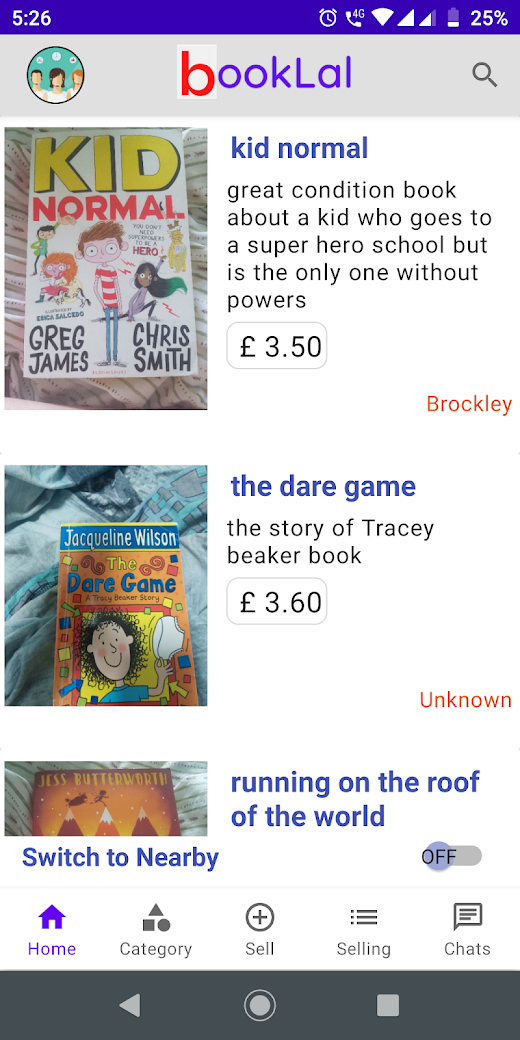
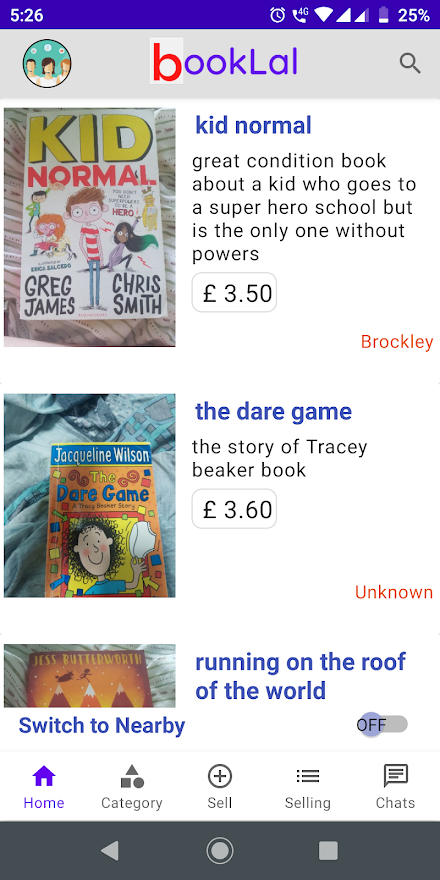
You see list of all book that are available for sale in your nearby on the Home screen.
User can scroll all books or simply just search typing “keywords” like Book name, Author name or Publisher name.
Book listings contain basic information such as Book’s front cover, book’s name, book’s selling price and book description.
Further when you click on any Book listing you will see more information about that Book such as book’s Author name, Publisher, Printed Price of the book, Selling Price of the book, Description by book seller, Book seller account and you also get option to Chat and Call (if book seller has enabled this).
> Explore Book Categories:Users can also explore Books Category wise in your nearby, so that they can find any book in their field which may be interesting to them.
📔
📚
📓 Visit https://booklal.com
👋
👀
About BookLal - Buy/Sell Used Books
- Package name (App ID)
- com.booklal.booklal
- Available on
- Google Play
- Price
- Free
- Developer
- Bitactro
Looking for the BookLal - Buy/Sell Used Books APK?
The safest way to get BookLal - Buy/Sell Used Books (com.booklal.booklal) on your Android device is to install it directly from Google Play — you'll always get the latest official version, automatic updates, and no risk of modified or infected APK files from third-party sites.

Learning Tools
Enhance your learning experience with interactive features.
Food & Dining
Discover recipes and order food from your favorite restaurants.
Shopping Features
Shop online and find the best deals.
See BookLal - Buy/Sell Used Books in Action


Frequently Asked Questions
Is BookLal - Buy/Sell Used Books free?
Yes, BookLal - Buy/Sell Used Books is free to download and install on Android through Google Play.
How do I install BookLal - Buy/Sell Used Books on Android?
Open Google Play on your Android phone or tablet, search for BookLal - Buy/Sell Used Books by Bitactro or tap the Google Play button on this page, then tap Install. The app downloads and installs automatically.
What is com.booklal.booklal?
com.booklal.booklal is the App ID (package name) of BookLal - Buy/Sell Used Books on Google Play. Every Android app has a unique package name, and it is the safest way to verify you are installing the official app.
Is BookLal - Buy/Sell Used Books safe to download?
Installing BookLal - Buy/Sell Used Books from Google Play is the safest option: you get the official version published by Bitactro, verified by Google Play Protect, with automatic updates. Avoid APK files from unofficial third-party sites.

Get BookLal - Buy/Sell Used Books Today
BookLal - Buy/Sell Used Books for Android — free download on Google Play.
Compatible with Android phones and tablets — available on Google Play.
Ask AI about this app
Get instant answers about features, tips and more from popular AI assistants.